
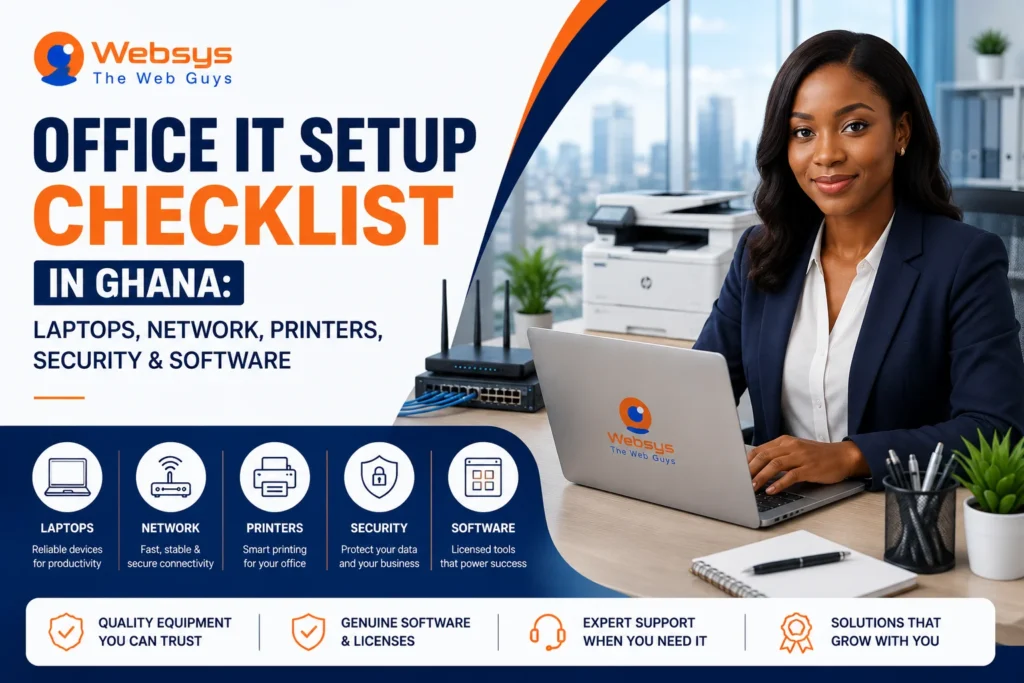
A smooth office rarely happens by accident. A smart office IT setup in Ghana gives your team the tools, speed, and protection they need to work effectively from the first day. Many businesses buy laptops and printers first, then discover the network is weak, the software is missing, or power issues keep causing delays. That approach wastes time and money. You need a setup that connects devices, internet, security, software, and backup power in one clear plan. You’ll learn what to include, what to prioritise, and how to build an office that actually works.
Key Takeaways
- A strong office IT setup starts with planning your users, devices, workflow, and budget. That simple step helps you avoid buying random equipment that doesn’t match how your team works.
- Laptops, networking tools, printers, and software should work together as one system. If one piece is weak, daily tasks slow down and staff frustration grows.
- Cybersecurity should be part of the setup from day one, not an afterthought. Ghana recorded 2,008 cyber incidents in the first half of 2025, which shows why early protection matters.
- Reliable internet and business-grade networking equipment keep cloud tools, email, and file sharing running smoothly. That matters even more because Ghana’s services sector accounts for 42% of GDP and employment.
- Power backup and electrical safety protect devices from damage and reduce downtime. In Ghana, that isn’t a luxury item. It is part of practical office planning.
- A written IT procurement checklist helps you compare vendors, confirm warranties, and track what you bought. It also makes future upgrades easier when your office expands.
- Testing everything before staff start work prevents first-day chaos. A small dry run can reveal connection, access, printing, or software problems before they hurt productivity.
- Key Takeaways
- What Should Be Included in an Office IT Setup in Ghana?
- Complete Office IT Setup Checklist for Ghanaian Businesses
- Step 1: Assess Your Office IT Needs Before Buying Anything
- Step 2: Choose the Right Laptops and Desktop Computers
- Step 3: Set Up Reliable Internet and Office Network
- Step 4: Select Printers, Scanners, and Office Peripherals
- Step 5: Add Office Security Hardware Where Needed
- Step 6: Install Cybersecurity Protection From Day One
- Step 7: Choose the Right Business Software and Licenses
- Step 8: Plan Power Backup and Electrical Safety
- Step 9: Create an Office IT Procurement Checklist
- Step 10: Test Everything Before Your Team Starts Work
- Conclusion: Build an Office IT Setup That Works From Day One
- Book Free IT Procurement Consultation
- FAQs About Office IT Setup in Ghana
What Should Be Included in an Office IT Setup in Ghana?
A complete office IT setup includes more than a few laptops and a Wi-Fi box. Your business needs devices, internet access, internal networking, printing tools, security systems, software, and power protection to work together. That matters because office work depends on stable communication, access to files, and secure digital operations every single day. Ghana’s services sector contributes 42% to GDP and employment, so many businesses now rely heavily on office-based systems and connected work environments.
A practical office setup usually includes these core parts:
- Computers for daily work: Most teams need laptops or desktops suited to their work. Admin staff, designers, finance officers, and managers often need different specifications.
- Internet and networking tools: Routers, switches, access points, and structured cabling keep your office connected. Without a stable network, even basic email and cloud tasks become frustrating.
- Printers and office peripherals: Multifunction printers, scanners, monitors, keyboards, and backup storage support regular office tasks. The right peripherals save time and reduce unnecessary bottlenecks.
- Security and protection systems: Antivirus, endpoint protection, firewalls, CCTV, and access control help protect your people, equipment, and data. Security works best when it is built in early.
- Business software and licenses: Email platforms, productivity suites, accounting software, and sector-specific tools help staff do their work efficiently. Genuine licenses also improve support and update reliability.
- Power backup and electrical safety: UPS devices, surge protectors, and voltage regulation reduce risk during outages or unstable power. They protect hardware and help work continue.
Complete Office IT Setup Checklist for Ghanaian Businesses
A proper checklist keeps your office setup focused, practical, and easier to manage. Instead of buying items one by one, you build a connected system that supports productivity, security, and long-term business growth.
Step 1: Assess Your Office IT Needs Before Buying Anything
Smart buying starts with clarity. Before you order a single laptop or printer, define what your office actually needs. Count your staff, review their roles, and note which tools they use every day. A small accounting office needs something very different from a design studio or customer support team. This first step saves money because it helps you avoid overbuying weakly matched equipment. It also improves planning for software, networking, and support.
Focus on these questions early:
- How many staff members need computers immediately?
- Which roles need higher-performance devices?
- Will people work only in the office or also remotely?
- What tools are essential on day one?
- How fast is the team likely to grow?
A needs assessment also helps you set realistic priorities. That makes the rest of the setup process cleaner and faster.
Step 2: Choose the Right Laptops and Desktop Computers
Your computers should fit the work, not just the budget. Office staff who handle email, spreadsheets, and browser tools may need mid-range business laptops. Designers, video editors, or technical teams need stronger processors, more memory, and larger storage. Desktops can work well for fixed workstations because they often offer better value and easier upgrades. Laptops make more sense when mobility matters.
When choosing office computers, look at:
- Processor performance for everyday tasks or demanding workloads.
- RAM capacity for smooth multitasking.
- SSD storage for faster startup and file access.
- Battery life for mobile users.
- Build quality for long-term office use.
- Warranty and support availability.
Business-grade systems usually last longer and perform more consistently. That makes them a safer choice than basic consumer models.
Step 3: Set Up Reliable Internet and Office Network
A weak network can slow down an entire office. Staff may blame their laptops, yet the real issue is often poor internet, weak Wi-Fi coverage, or low-quality networking hardware. Email, cloud storage, Teams calls, ERP platforms, and shared printers all depend on a stable connection. Ghanaian businesses should treat networking as core infrastructure, not a side purchase.
A reliable office network should include:
- Business-grade router for stable internet control.
- Switches connect multiple wired devices efficiently.
- Access points for stronger Wi-Fi across the office.
- Structured cabling where fixed connections matter.
- Network segmentation for better security when needed.
This matters because office-based services and digital work play a large role in Ghana’s economy. A stable network keeps your office fast, connected, and less stressful.
Step 4: Select Printers, Scanners, and Office Peripherals
Printers still matter in many offices, even in a digital world. Contracts, invoices, reports, scanned IDs, signed documents, and internal records often require physical output. The best choice depends on your print volume, colour needs, and scanning habits. A multifunction printer often makes sense because it combines printing, copying, and scanning in one machine.
You should also plan for useful peripherals such as:
- External monitors for productivity and comfort.
- Keyboards and mice for daily ease.
- Webcams or headsets for meetings.
- External drives for backups or file transfer.
- UPS devices for critical peripherals.
Don’t buy accessories as an afterthought. Good peripherals help staff work faster and with fewer interruptions. That small detail improves the daily office experience more than many people expect.
Step 5: Add Office Security Hardware Where Needed
Digital security matters, yet physical security matters too. Some offices need CCTV, access control, smart locks, or attendance systems to protect assets and manage movement. If your office stores expensive devices, paper records, or customer data, physical controls become even more important. They help reduce theft, misuse, and unauthorised access.
Useful office security hardware may include:
- CCTV cameras for entrances and sensitive spaces.
- Door access systems for server or admin areas.
- Attendance devices for workforce tracking.
- Lockable cabinets or safes for documents and equipment.
This step depends on your office type, size, and risk level. Still, many businesses ignore physical security until something goes wrong. It is smarter to plan early.
Step 6: Install Cybersecurity Protection From Day One
Cybersecurity should never wait until after setup. New offices often start with fresh devices, shared accounts, and rushed software installation. That creates easy openings for malware, phishing, and poor access control. Ghana recorded 2,008 cyber incidents in the first half of 2025, up 52% from 2024, while losses exceeded GH¢19.3 million in the first nine months of 2025. Those figures make one point very clear: protection must start early.
Your setup should include:
- Antivirus or endpoint security on every device.
- Firewall protection where appropriate.
- Strong password and account policies.
- Secure email configuration.
- Backup planning for key files and systems.
- Basic staff awareness on phishing and unsafe downloads.
Security works best when it becomes part of office culture from the start.
Step 7: Choose the Right Business Software and Licenses
Hardware gets attention first, yet software runs the office. Most businesses need email, document tools, collaboration apps, antivirus software, and some kind of accounting or operational platform. The right mix depends on what your team actually does. Microsoft 365 works well for communication, documents, storage, and meetings. Finance teams may need accounting software. Retail, healthcare, education, or logistics firms may need industry-specific platforms.
Buy software with these goals in mind:
- Match tools to staff roles and workflow.
- Choose genuine licenses for support and updates.
- Keep company ownership of accounts and data.
- Track renewals and license records clearly.
Licensed software in Ghana matters because it supports security and continuity. A Ghana SME study also found that well-aligned information systems can create competitive benefits when linked to business goals.
Step 8: Plan Power Backup and Electrical Safety
Power problems can ruin a good office setup. Sudden outages can interrupt meetings, damage equipment, corrupt files, or shut down the network. In Ghana, planning for power backup is part of sensible office design. It protects both productivity and hardware.
A practical power plan may include:
- UPS devices for desktops, routers, and important systems.
- Surge protectors for laptops, monitors, and printers.
- Voltage stabilisers where power quality varies.
- Backup generator or alternative source for larger offices.
- Safe cable management to reduce accidents and heat issues.
This step often gets pushed aside during setup. However, skipping it can become expensive very quickly. A small investment here protects much larger investments elsewhere.
Step 9: Create an Office IT Procurement Checklist
Buying office IT without a checklist is like shopping in the dark. You may still buy something useful, yet mistakes become much more likely. An IT procurement checklist keeps products, quantities, specs, support terms, and vendor details in one place. It also helps you compare options more clearly.
Your checklist should cover:
- Product name and technical specification.
- Quantity needed.
- Vendor and quoted price.
- Warranty period.
- Set up or installation support.
- Delivery timeline.
- License proof where software is involved.
This process also improves accountability inside the business. Later, when equipment needs replacement or expansion, your records already exist.
Step 10: Test Everything Before Your Team Starts Work
The final step is often the one businesses rush. That is a mistake. A proper test run helps you catch problems before employees depend on the setup. Printers may not connect. Email may not sync. Wi-Fi may be weak in one corner. File permissions may block shared folders. Those issues are much easier to fix before launch.
Before opening the office fully, test:
- Internet speed and stability.
- Wired and wireless connectivity.
- Printer and scanner access.
- User logins and email accounts.
- Shared drives or cloud folders.
- Software activation and updates.
- Backup and restore basics.
A short testing phase creates a smoother first week. It also makes your team feel the office is ready for real work.
Conclusion: Build an Office IT Setup That Works From Day One
A good office IT setup makes everyday work smoother, safer, and easier to manage. When you plan laptops, networking, printing, security, software, and power together, your office works as one system instead of a pile of disconnected tools. That approach reduces downtime, lowers stress, and helps staff stay productive from the start. It also protects your investment over the long term.
If you want an office setup that fits your business properly, WebSys can help you source, plan, and deploy the right IT solutions with confidence.
GET IN TOUCH
Book Free IT Procurement Consultation
FAQs About Office IT Setup in Ghana
A new office usually needs computers, stable internet, networking tools, printers, licensed software, and cybersecurity protection first. After that, you can add extras like CCTV, access control, and backup power.
Choose laptops based on the actual work your staff do every day. Check processor speed, RAM, SSD storage, battery life, durability, and warranty support before deciding.
Yes, small offices still benefit from business-grade networking equipment. Better routers, switches, and access points improve speed, reliability, and security, especially when your team uses cloud apps, email, and shared devices.
A multifunction printer is usually the best choice for most offices in Ghana. It saves space, handles printing and scanning together, and works well for invoices, documents, and daily admin tasks.
Cybersecurity matters early because new offices often have fresh devices, shared access, and rushed configurations. Early protection reduces malware risk, protects company data, and helps staff build safer digital habits.
Most new offices should buy productivity software, antivirus protection, and role-specific business tools. Microsoft 365, accounting software, and sector-focused apps often make the strongest starting point for structured office work.