
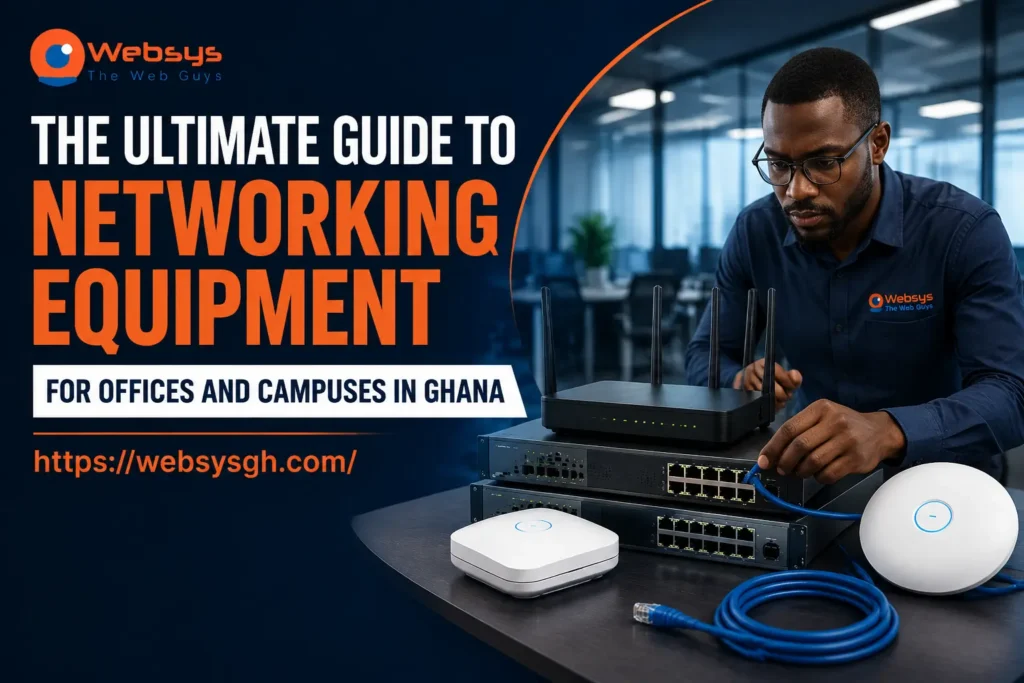
Ghanaian organisations are increasingly demanding robust and reliable networks to support their growing digital operations. With over 26 million internet users and broadband speeds averaging ~49.5 Mbps, businesses, schools, and NGOs face new challenges in planning and deploying internal networks. Selecting the right routers, switches, firewalls, and Wi-Fi solutions isn’t just about hardware — it’s about creating a secure, scalable infrastructure. So how do you ensure your organisation chooses the most effective networking equipment in Ghana?
Quick Answer
The key to networking equipment procurement in Ghana lies in aligning your business needs with the right routers, switches, firewalls, and Wi-Fi access points. Assess your organisation’s size, user density, and connectivity goals. Evaluate suppliers for reliability, warranty, and local support. Include installation, configuration, and ongoing maintenance in your plans to ensure a secure and future-ready network. Following a structured approach reduces downtime, enhances productivity, and protects sensitive data for long-term operations.
What is Networking Equipment Procurement?
Networking equipment procurement is the strategic process of selecting, purchasing, and deploying devices that form the backbone of a reliable organisation’s network. In Ghana, procurement goes beyond buying routers or access points; it requires assessing office layout, user density, and projected growth to ensure scalable and secure connectivity.
- Determine business or school network requirements based on staff, students, or users
- Evaluate suppliers for warranty, authenticity, and local service capability
- Deploy routers, switches, firewalls, and Wi-Fi access points effectively
- Plan for VLANs, guest Wi-Fi, and network segmentation to protect sensitive data
- Integrate cloud-based tools like Microsoft 365, video conferencing, and ERP systems
- Monitor and maintain performance regularly
- Consider the total cost of ownership, including installation, licensing, and long-term support
By approaching procurement strategically, organisations in Accra, Kumasi, and other major cities can avoid common network pitfalls.
Why Networking Equipment Matters for Ghanaian Businesses
Networking infrastructure is essential for modern Ghanaian operations. Internet adoption in Ghana has grown strongly, reaching 74.6% nationwide, and larger urban centres like Accra and Kumasi typically exceed national averages due to stronger infrastructure and business demand. Reliable networking boosts productivity, safeguards data, and ensures connectivity for remote work and cloud applications.
- Reduces downtime and increases operational efficiency
- Protects sensitive information with robust firewalls and secure access
- Supports cloud services and VoIP communications seamlessly
- Prepares networks for future expansion, including new branches or floors
- Facilitates guest Wi-Fi management for clients, students, or visitors
- Case Study: A Kumasi NGO deployed new managed switches and Wi-Fi APs to support remote field staff efficiently
Proper networking procurement allows organisations to leverage Ghana’s growing connectivity infrastructure, meeting both current and future digital demands.
Core Networking Equipment Overview
Understanding the different types of network equipment ensures informed procurement decisions. Each component plays a specific role in maintaining a secure and reliable network.
- Routers: Direct internet traffic, manage multiple connections, and support VPNs
- Switches: Connect internal devices, manage data flow, and support VLANs and PoE
- Firewalls: Protect against unauthorised access and cyber threats
- Wi-Fi Access Points: Extend wireless coverage across offices, schools, and campuses
- Cabling & Racks: Organised Cat6/fibre infrastructure with patch panels and network racks
- Integration ensures seamless performance between devices
- Example: A school in Accra upgraded switches and access points, supporting over 120 simultaneous users
By understanding each device’s function, Ghanaian organisations can make procurement decisions that maximise network efficiency and reliability.
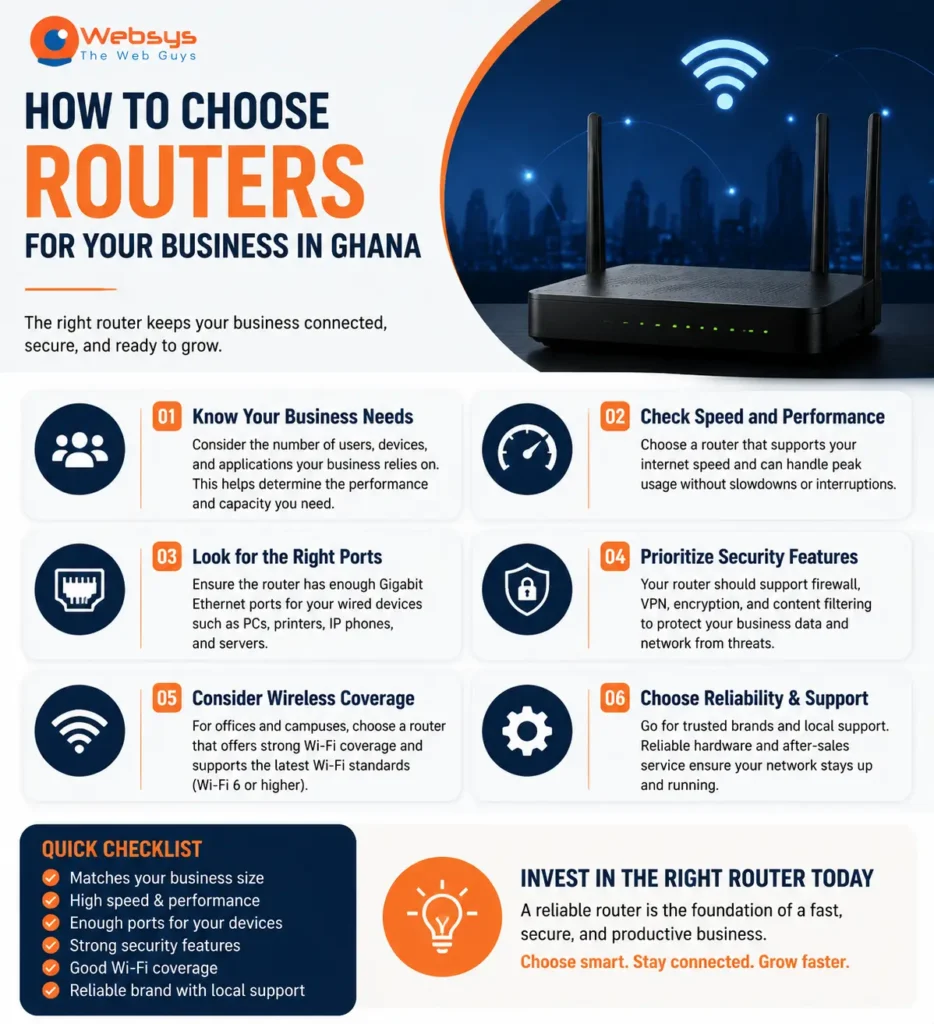
How to Choose Routers for Your Business in Ghana
Routers are central to network performance and security. Selecting the correct router ensures stable internet, secure connectivity, and efficient traffic management.
Router Specifications & Capacity
- Ensure throughput matches your office internet speeds and projected growth
- Support VPN connections for remote employees and branch offices
- Consider business-grade brands such as Cisco, Fortinet, Ubiquiti, and DrayTek
- For example, organisations in Ghana increasingly invest in business‑grade networking gear, such as enterprise routers and managed switches, to support heavier workloads and higher concurrent usage as digital operations rise.
Security & Business Needs
- Firewalls, intrusion prevention, and logging should complement router capabilities
- Enable secure remote access for employees or students
- Prioritise routers with firmware updates and centralised monitoring for long-term reliability
How to Choose Switches
Switches connect devices within the internal network, facilitating data flow and device communication.
Managed vs Unmanaged Switches
- Managed switches allow VLANs, QoS, and detailed network monitoring
- Unmanaged switches provide plug-and-play simplicity for small offices
Port Count & PoE Needs
- Determine the number of devices: PCs, printers, access points, and CCTV cameras
- PoE (Power over Ethernet) simplifies installations by powering devices through network cables
- Example: A school in Tema used PoE switches to power all Wi-Fi APs and IP cameras without additional wiring
How to Choose Firewalls
Firewalls secure your network by controlling traffic, preventing unauthorised access, and monitoring connections.
Firewall Throughput & VPN Capacity
- Ensure firewall performance matches the internet speed and the number of users
- VPN support is crucial for remote staff and multi-location operations
Licensing & Security Features
- Consider UTM (Unified Threat Management), intrusion prevention, content filtering, and SSL inspection
- Include license and subscription costs in your procurement budget
- Example: An Accra-based clinic used a firewall with integrated threat protection to safeguard patient data
Wi-Fi & Access Points Procurement
Strong Wi-Fi coverage is essential for productivity and user satisfaction.
Site Survey & Coverage Planning
- Consider office size, number of floors, wall thickness, and interference
- Plan AP placement to eliminate dead zones and ensure even coverage
Wi-Fi Standard & Scalability
- Wi-Fi 5 for basic use, Wi-Fi 6/6E for high-density or modern environments
- Scalable solutions support additional devices and future expansion
Networking Equipment Procurement Checklist
- Determine the organisation’s network requirements and internet speed
- Select routers, switches, firewalls, and access points based on needs
- Evaluate PoE requirements and managed switch capabilities
- Plan Wi-Fi coverage with proper AP placement
- Assess suppliers for warranty, delivery, and installation support
- Compare the total cost of ownership, including long-term maintenance
- Document asset tags and serial numbers
- Example: An NGO deployed Wi-Fi across multiple campuses efficiently by following this checklist
Common Mistakes to Avoid
- Choosing consumer-grade routers for business or school networks
- Underestimating switch capacity or PoE requirements
- Ignoring firewall licenses and subscriptions
- Skipping Wi-Fi site surveys or coverage planning
- Neglecting warranty, delivery, and vendor support
- Example: A Tema-based school had to replace APs after failed coverage planning
How to Compare Networking Equipment Quotes
Technical Specifications
- Compare routers, switches, firewalls, PoE budgets, Wi-Fi standards, and VPN capacities
Installation & Total Cost
- Factor in cabling, configuration, testing, documentation, and long-term support
- Example: Accra office compared three vendors to ensure installation and warranty needs were met
Recommended Brands & Suppliers
- Cisco: Enterprise routers and switches
- Fortinet: Firewalls and security appliances
- Ubiquiti: Cloud-managed Wi-Fi and switches
- MikroTik: Budget-friendly routing solutions
- TP-Link Omada: SMB cloud-managed Wi-Fi
- DrayTek: VPN routers for small offices
- Evaluate suppliers for warranty, local support, and installation services
- Example: Fortinet firewalls helped a financial office secure network traffic while enabling multi-branch connectivity
FAQs
A small business needs a business router, managed switch, firewall, Wi-Fi access points, and UPS backup for stable and secure connectivity.
Routers connect networks to the internet, while switches connect devices internally, ensuring efficient communication and traffic flow.
Yes. Business firewalls provide advanced features like intrusion prevention, content filtering, and VPN support beyond basic router protections.
Managed switches allow configuration, monitoring, and VLAN management, while unmanaged switches are simpler for smaller setups with fewer devices.
The number depends on office size, floors, walls, and user density. A site survey ensures coverage without dead zones.
Yes. WebSys provides installation, configuration, asset tagging, and setup services for routers, switches, firewalls, and APs across Ghana.
Cisco, Fortinet, Ubiquiti, MikroTik, TP-Link Omada, and DrayTek provide reliable performance, security, and warranty support.
Purchase from authorised suppliers, check serial numbers, confirm warranty, and ensure the vendor provides local service and support.
Yes. A complete procurement should include structured cabling, patch panels, racks, installation, and device configuration.
Power over Ethernet (PoE) allows devices like access points and IP cameras to receive power via network cables, simplifying installations.
Conclusion
Proper networking equipment procurement in Ghana ensures secure, reliable, and scalable networks. Organisations must assess routers, switches, firewalls, Wi-Fi, and installation requirements carefully. Evaluating vendors, comparing quotes, and planning coverage reduces downtime and ensures long-term efficiency.
For expert assistance, you can reach out to WebSys, which helps source, deploy, and maintain networking solutions across Ghana, ensuring your infrastructure is always ready for growth.
GET IN TOUCH