

Your business website isn’t just a digital address — it’s your most valuable online asset. It drives leads, handles sales, and represents your brand around the clock. But most business owners invest heavily in building their site and almost nothing in protecting it. That gap can cost you everything.
A website backup is the safety net your business can’t afford to ignore. It stores a complete copy of your website — every file, database, image, and configuration — ready to restore everything when disaster strikes. Hacks, server crashes, accidental deletions, and bad software updates don’t send a warning. They just happen. And when they do, businesses without a backup face days of downtime, lost revenue, and shattered customer trust.
According to DataNumen and Invenio IT (2025), 93% of companies that suffer prolonged data loss go bankrupt within a year. A solid backup plan doesn’t just protect your files — it protects your entire livelihood.
What Is a Website Backup?
A website backup is a saved copy of everything that makes your site work — stored somewhere safe so you can bring it all back when something goes wrong. It’s not a cached page version and it’s not something your hosting provider automatically handles on your behalf.
A complete backup typically includes:
- Website files — your themes, plugins, custom code, and media uploads
- Website database — all your posts, pages, user accounts, orders, and site settings
- Configuration files — server settings and other technical data your site depends on to function
- Media and uploads — images, videos, and downloadable files that your visitors interact with daily
Backups can be stored locally on a server, on an external drive, or in cloud storage — with cloud storage being the safest option since it’s off-site and remains fully accessible even if your hosting server fails.
It’s also worth knowing that a backup is not the same as your hosting server’s cached files. If your server goes down, that cache disappears with it. A real backup lives somewhere entirely separate.
(Hypothetical example — for illustration purposes only): A small online retail store runs a WordPress site with over 500 product listings. One morning, the database crashes after a hosting error. Without a backup, rebuilding that site takes weeks and thousands in developer fees. With a recent backup? The site is fully restored in under 30 minutes — and not a single product listing is lost.
That’s the real difference a backup makes. It turns a catastrophic event into a manageable inconvenience.
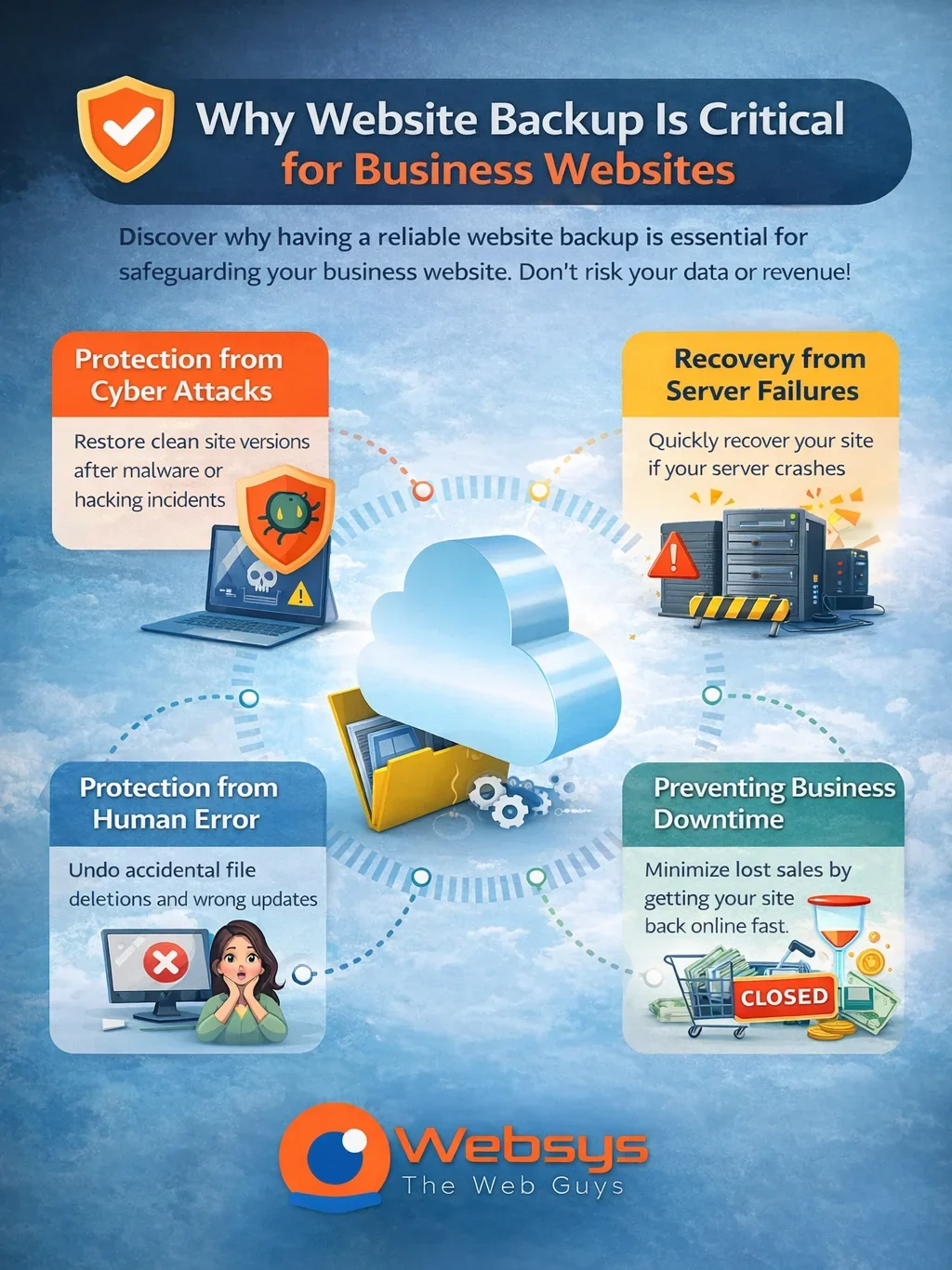
Why Website Backup Is Critical for Business Websites
Your website is a core business asset — and like any valuable asset, it needs protection. Most business owners don’t think about website data protection until something goes wrong. By then, the damage is already done. There are four critical reasons every business website needs a reliable backup strategy.
Protects Your Website From Data Loss
Data loss doesn’t always come from dramatic cyberattacks. It happens every day through hardware failures, software bugs, and simple human errors. According to the DataNumen Report (2024), 85% of organizations experienced at least one data loss incident in 2024 alone. Hardware failure accounts for 40–44% of all cases.
- A backup ensures no product listing, customer record, or piece of content disappears permanently
- Website data recovery is only possible if you actually have a clean copy to recover from
- The backup is only as good as how recently it was taken — old, outdated backups leave dangerous gaps in your coverage
Prevents Long Website Downtime
Every minute your site is offline, you’re losing money. The only variable is how much. ITIC research puts downtime costs for small and medium businesses at $137 to $427 per minute. Without a backup, fixing downtime often means rebuilding your site from memory — and that process takes days, not hours.
- A recent backup cuts your website recovery time from days to minutes
- Website downtime prevention starts with having a restore point ready before problems ever occur
- Downtime during peak business hours multiplies your financial losses far beyond just lost visitors
Protects Your SEO Rankings
Google pays close attention to your site’s availability and it doesn’t forgive extended outages easily. A 2024 study by Lagnis, tracking over 200 websites, found that sites experiencing more than 6 hours of downtime faced significant deindexing and measurable organic traffic loss.
- Repeated downtime wastes your crawl budget on error pages instead of indexable content
- Ranking drops for competitive keywords can take months to recover from fully
- A fast restore via backup means minimal SEO disruption and a much quicker bounce-back in rankings
Safeguards Customer and Business Data
Your website holds more sensitive data than you might realize — customer emails, payment details, shipping addresses, and complete order histories. Losing that data doesn’t just hurt your operations. It destroys trust permanently. A Gemalto study found that 70% of consumers stop doing business with a company after it suffers a data breach.
- A recent backup preserves customer data protection before files get corrupted, stolen, or permanently wiped
- Businesses in Ghana must also comply with the Ghana Data Protection Act — losing customer data puts that compliance at serious legal risk
- Trust, once broken by a data incident, is almost impossible to rebuild
Common Situations Where Website Backup Saves Your Business
The risks above aren’t theoretical. They play out in real businesses every single day — businesses just like yours. Here are the four most common situations in which a website backup makes the difference between a quick recovery and a total loss.
Website Hacked by Malware
Cyberattacks are rising fast and small businesses are the primary targets — not large corporations. Genatec (2024) reports that 46% of all data breaches hit businesses with fewer than 1,000 employees. Right here in Ghana, the Cyber Security Authority recorded 2,008 cyber incidents in just the first half of 2025 — a 52% jump over the number of cases reported throughout all of 2024, according to African Wireless Communications (2025).
- Malware recovery for websites requires a clean, pre-infection backup — restoring a compromised version just brings the problem back with it
- Without a clean backup, recovering a hacked site means rebuilding it entirely from scratch
- A recent backup lets you wipe the infected version and restore a clean, fully functional site immediately
Website Crashes After Plugin or Software Update
One update. That’s genuinely all it takes to break an entire website. In July 2025, a WordPress site owner updated a single plugin marked as a “performance improvement.” It triggered a fatal PHP error, causing a complete white screen of death across the entire site. The only thing that saved them was a backup taken before the update — as documented by the r/WordPress community (2025).
- WordPress websites power over 40% of all sites globally — plugin conflicts and update crashes are extremely common
- Always take a full backup immediately before running any plugin, theme, or CMS update
- With a solid restore point ready, a site crash becomes a 2-minute fix instead of a full-blown crisis
Accidental Deletion of Website Files
Not every website disaster involves a hacker. Sometimes it’s just an innocent misclick. HandyRecovery’s 2025 survey found that accidental deletion accounts for 34% of all data loss cases — making it the most common cause of website data loss.
A real-world case from Resolve UK (2026) captures this perfectly: a client accidentally deleted their entire website folder while tidying up their cloud storage. It was a simple, innocent mistake. Because a backup system was in place, Resolve recovered every file instantly. Without that backup, everything would have been permanently gone.
- Recovering deleted website files is only possible when a recent backup exists to pull from
- Deleted files on a hosting server don’t go to a recycle bin — they simply vanish
- Automated backups create a recoverable snapshot before every significant change to your site
Server Failure or Hosting Issues
Hosting servers fail — even with reputable providers. The Uptime Institute’s 2024 Global Data Center Survey found that 53% of data center operators experienced at least one significant outage over the past three years. Server failures can destroy your website data even when your site’s code is perfectly intact.
- Your hosting provider’s internal backup isn’t always guaranteed — always read your hosting terms carefully
- Server failure recovery requires your own independent backup stored completely off-site
- A cloud backup keeps your website data safe regardless of what happens at the server level
Types of Website Backups
Not all backups work the same way. Choosing the right backup type depends on your website’s size, how frequently it updates, and how much storage you want to use. Understanding the three main types helps you build a smarter website disaster recovery plan tailored to your needs.
Full Backup
A full backup copies your entire website in one go — every file, folder, database, theme, plugin, media item, and configuration included. It’s the most comprehensive option and the easiest to restore from when something goes wrong.
- Requires the most storage space and takes the longest time to complete
- Best scheduled weekly or immediately before any major site changes or updates
- Serves as the essential foundation on which incremental and differential backups build
Incremental Backup
An incremental backup saves only the changes made since the last backup run — not the entire site. It’s fast, lightweight on storage, and ideal for eCommerce websites or sites that update frequently throughout the day.
- Uses significantly less storage compared to a full backup
- Restoration requires the most recent full backup plus every incremental file captured in sequence
- A smart choice for busy websites where daily full backups would be too resource-heavy
Differential Backup
A differential backup captures all changes made since the last full backup — regardless of how many backups have run in between. It sits comfortably between full and incremental in terms of both speed and storage requirements.
- Easier to restore than incremental — you only need two files: the last full and the last differential
- Provides a broader, safer recovery window compared to incremental backups
(Hypothetical example — for illustration purposes only): An online store runs a full backup every Sunday. On Thursday, a differential backup captures every change made since Sunday. If the site crashes Friday afternoon, you only need those two files to restore the entire site to Thursday’s state — cleanly and completely.
Read more: Why Every Business Website in Ghana Needs SSL Security
How Often Should You Back Up Your Website?
Backup frequency isn’t a one-size-fits-all decision. It depends entirely on how often your website changes and how much data you can realistically afford to lose between backup runs. The principle stays consistent: the more your site changes, the more often you need to back it up.
Here’s a practical frequency guide based on site type:
- E-commerce stores: Daily backups at minimum — customer orders, inventory updates, and payment data change with every single transaction
- News and blog sites: Daily or every 12 hours — losing even one day of published content is costly and time-consuming to rebuild
- Business brochure or portfolio sites: Weekly backups may be sufficient if your content changes rarely
- Sites running active development or updates: Back up before every single update — no exceptions, no shortcuts, no “I’ll do it later”
One critical rule that most businesses overlook is that a backup stored on the same server as your live website is not a real backup. If that server fails, both your site and your backup disappear together. Always store backups in a completely separate, offsite backup location — ideally in encrypted cloud-based storage.
According to the DataNumen Report (2024), only 38% of businesses have a mature, tested backup program in place. Nearly 60% of users who’ve never experienced data loss rely on cloud backup storage — but a shocking number of businesses still have no formal automated backup solution at all. Don’t wait until you’re in that statistic to act.
Key Features to Look for in a Website Backup Service
Not every backup solution offers the same level of protection. Before you commit to any service, make sure it checks these five non-negotiable features — because cutting corners on even one of them can leave your business completely exposed when it matters most.
Automated Daily Backups
Manual backups depend on memory and discipline — and both fail under pressure. An automated backup solution runs silently in the background every day without requiring any action from you whatsoever.
- Ensures you always have a recent, reliable recovery point ready to use at any moment
- Eliminates the human error of forgetting to back up before a major update or site change
- Consistent daily automation means consistent, uninterrupted website data protection
One-Click Restore
When your site crashes, you don’t have time to dig through FTP clients and manual database imports. A one-click restore lets you bring your entire website back online in minutes — not hours or days.
- No technical expertise required to trigger a full restore website backup
- Critical for business owners and small teams without a dedicated IT professional on standby
- The faster you restore, the less revenue you lose and the less SEO damage you sustain
Secure Cloud Storage
Your backup is completely useless if it lives on the same server as the site it’s supposed to protect. Cloud backup storage keeps your backup off-site, encrypted, and fully accessible even when your hosting server is completely down.
- Look for AES-256 encryption both at rest and in transit — this is the industry security standard
- Redundant cloud storage means your backup is itself replicated for added peace of mind
- Off-site storage protects your data from server-level failures, not just site-level incidents
File & Database Protection
A real, complete backup protects both your website files and your website database. Backing up only one side leaves you with an incomplete, unusable restore point when disaster strikes.
- Files include: themes, plugins, media uploads, and all custom code
- Database includes: every post, page, user account, order record, and site-wide settings
- Both must be captured together to create a fully functional and trustworthy restore point
Backup Monitoring Alerts
You shouldn’t need to log in every morning to manually confirm your backup ran successfully. Backup monitoring alerts automatically notify you whenever a backup fails, runs incompletely, or encounters an issue.
- Gives you consistent peace of mind without demanding your daily attention or manual checks
- Some advanced services also flag unusual file changes — acting as an early warning system for potential malware activity
- Smart alerts keep you fully in control without adding unnecessary tasks to your day
How WebSys Website Backup Protects Your Website
When it comes to protecting business websites in Ghana, WebSys Technology delivers a website backup service built specifically for the challenges local businesses face — rising cybercrime, unreliable infrastructure, and a growing need for fast, dependable website recovery solutions.
WebSys Website Backup gives your business everything it needs to stay protected:
- Automated daily backups — your site gets backed up every single day without you lifting a finger
- One-click restore — recover your full website in minutes with zero technical knowledge required
- Secure cloud storage — your backups live off-server in an encrypted cloud infrastructure, completely safe from server-level failures
- Full file and database protection — every file, plugin, theme, database entry, and media item is fully covered
- Backup monitoring alerts — you’re always notified the moment anything needs your attention
- Local Ghanaian support team — a team that truly understands Ghana’s digital landscape, compliance requirements, and the real pressures of running an SMB
- Seamless integration with WebSys’s broader website security stack — including SSL, Web Application Firewall (WAF), and malware scanning for layered, all-around protection
Whether you run a WordPress blog, a growing e-commerce store, or a professional services website, WebSys ensures your business website backup never has any gaps. It’s not just a backup tool — it’s a complete website disaster recovery system engineered for business continuity and operational peace of mind.
Read more: 5 Mistakes Businesses Make When Choosing Web Hosting in Ghana
Final Thoughts
A website backup isn’t a luxury reserved for large enterprises with big IT budgets. It’s a basic requirement for any business that operates online. Hacks, server failures, accidental deletions, and update crashes happen to businesses of every size — at any time, without warning. The only real question is whether you’re prepared when your turn comes.
Every single day you operate without a proper backup is a day your entire website — and everything it represents for your business — sits completely exposed to risks you can’t predict or control.
Don’t wait for a disaster to force your hand. Protect your website today with WebSys Technology’s Website Backup Service — a fully automated, cloud-based, one-click recovery solution built specifically for Ghanaian businesses. With daily automated backups, secure off-site cloud storage, complete file and database protection, backup monitoring alerts, and a local support team that genuinely understands your business environment, WebSys gives you the confidence to run your business without fear.
Your website took real time, real money, and real effort to build. Make sure one bad day can never take it all away.
GET IN TOUCH